More Options
Access language settings, filters, history, and adjust menu item availability.
Change Language: Click the language selector on the top right to change the language.
Filter: View tasks by request type, e.g., room service, housekeeping, maintenance.
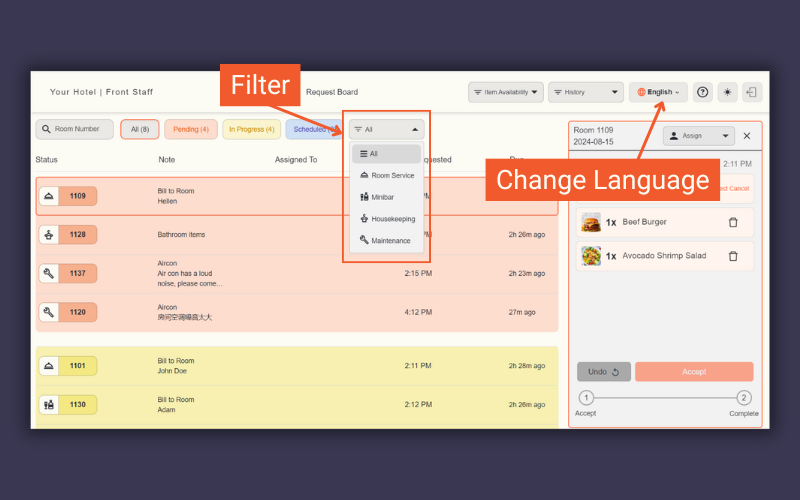
Filter by request type & change language
History: Review completed requests.
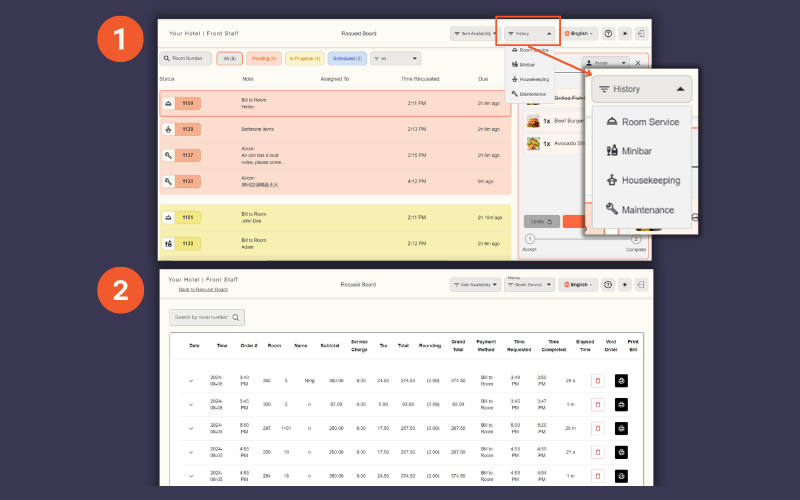
View history
Edit Menu Item Availability (Room Service): Click Edit Availability at the top right. To make an item unavailable for guests, toggle the Availability button off.
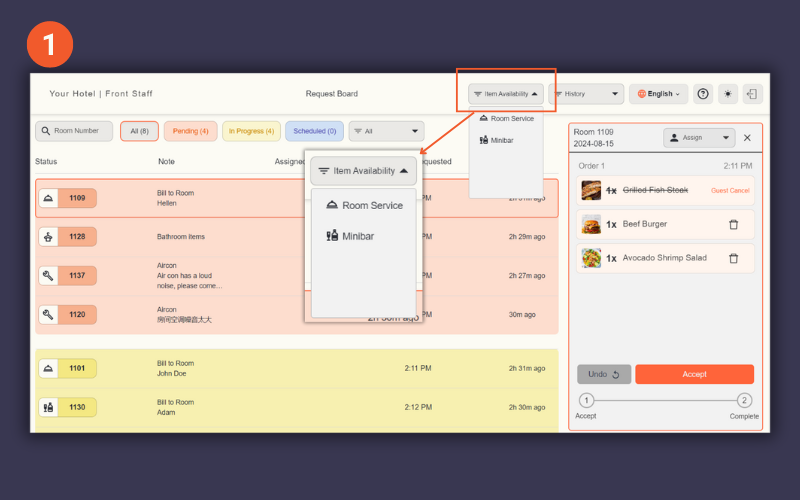
Edit Menu Item Availability
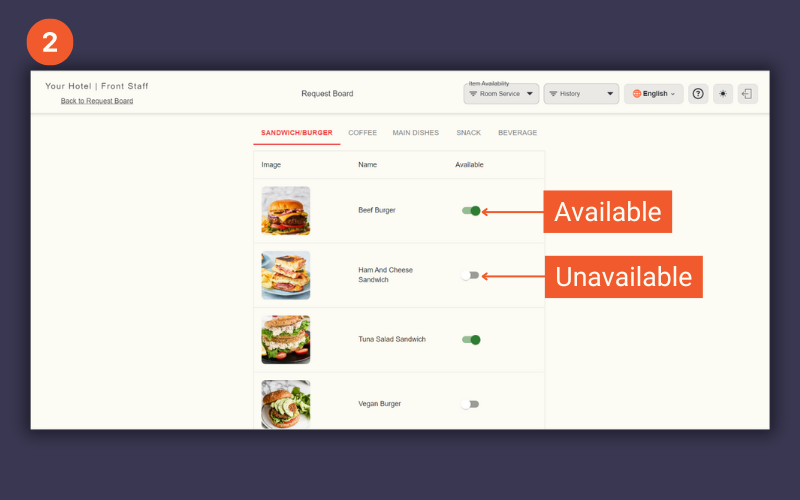
Toggle on/off to update availability