Request Management
Manage requests by accepting, completing, or voiding them.
Accept a Request: Click the Pending (orange) request, then click Accept. If prompted, provide an ETA (managed in the Admin Dashboard).
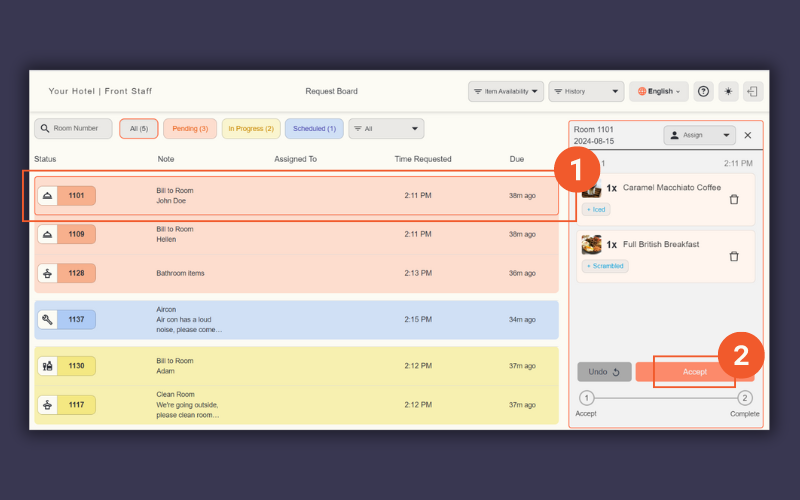
Accept request
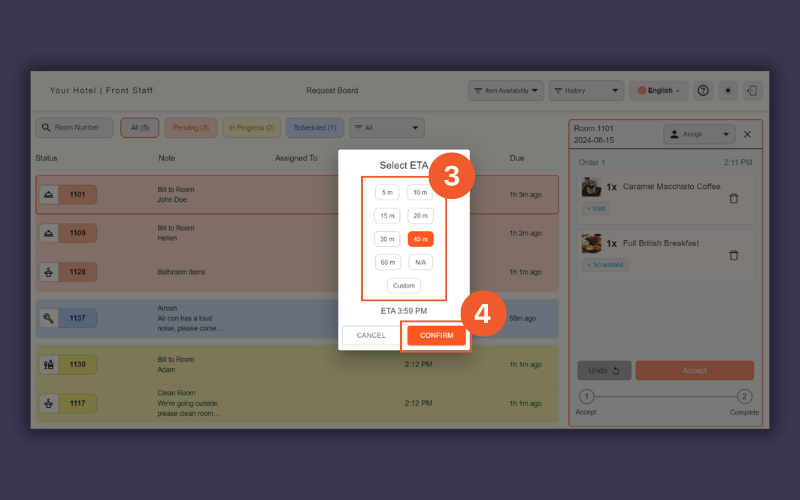
Enter an ETA
Complete a Request: Click Complete when done. The request will be removed from the Request Board but saved in History.
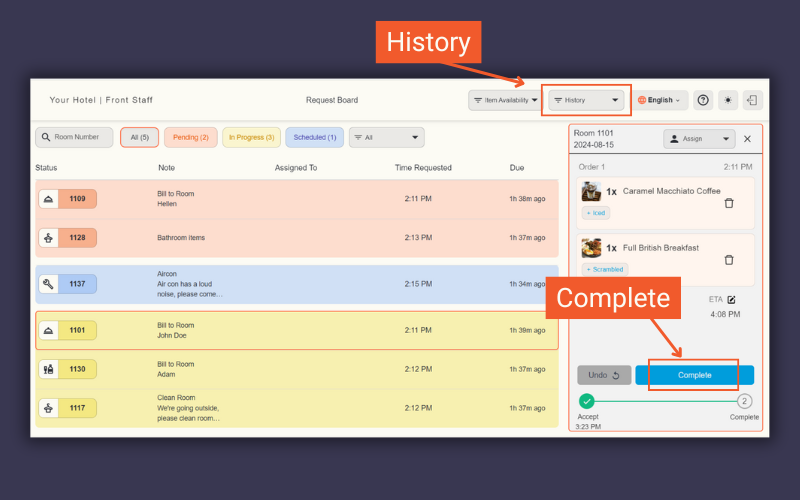
Complete request
Void a Request: Click the trash icon, select a reason, then click Void.
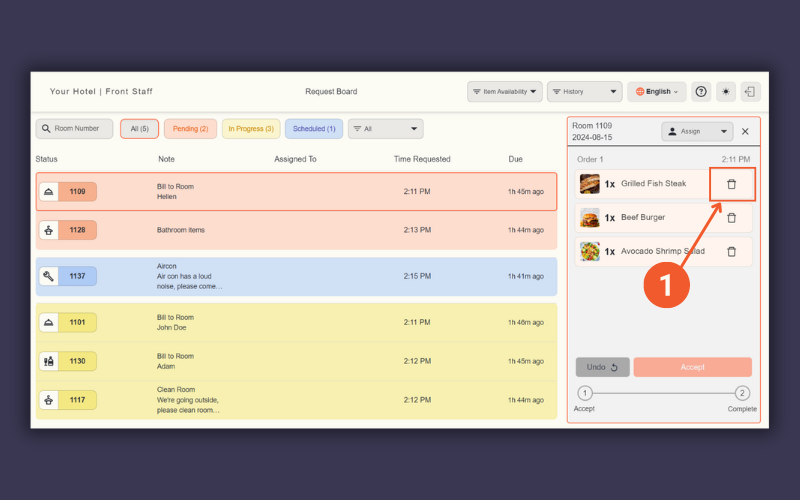
Void request by clicking the trash icon
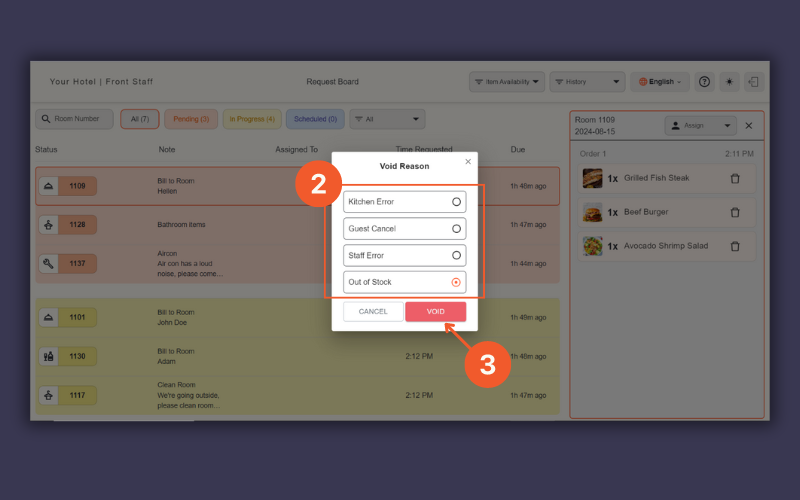
Select Void Reason
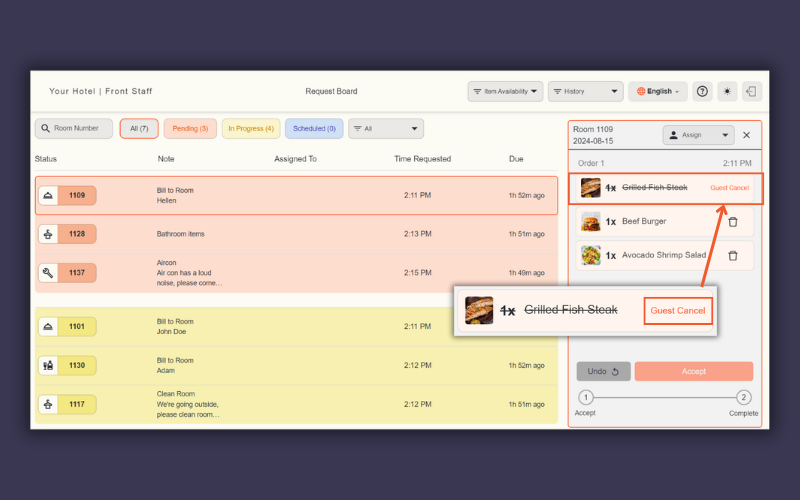
Voided request
Guest Cancellations: If enabled, guests can cancel a Pending request, which will then be marked as “Guest Cancel”.
Translations: Click the translation icon to translate guest notes.
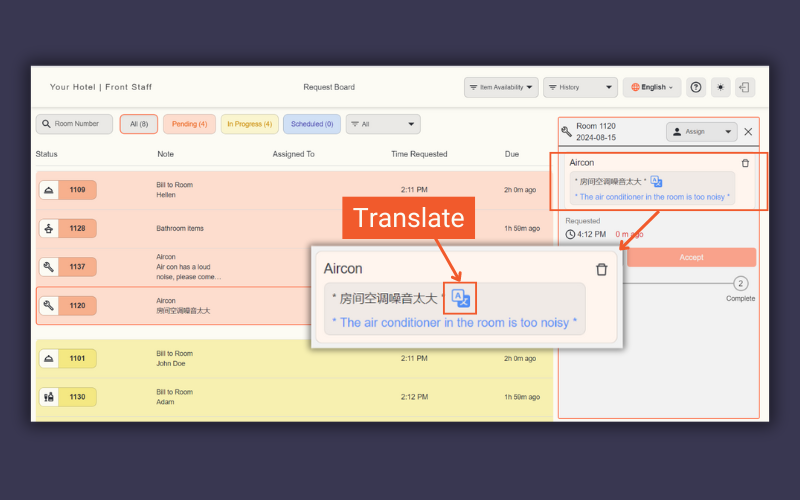
Translate guest note