Notifications
Request Board Sound
When a guest submits a request, the Request Board will make a sound if this is enabled.
LINE Notify
When a guest submits a request, you can receive instant notifications through LINE.
To set it up:
- Go to Settings > Notification > LINE Notify.
- Adjust your notification preferences by service type and status.
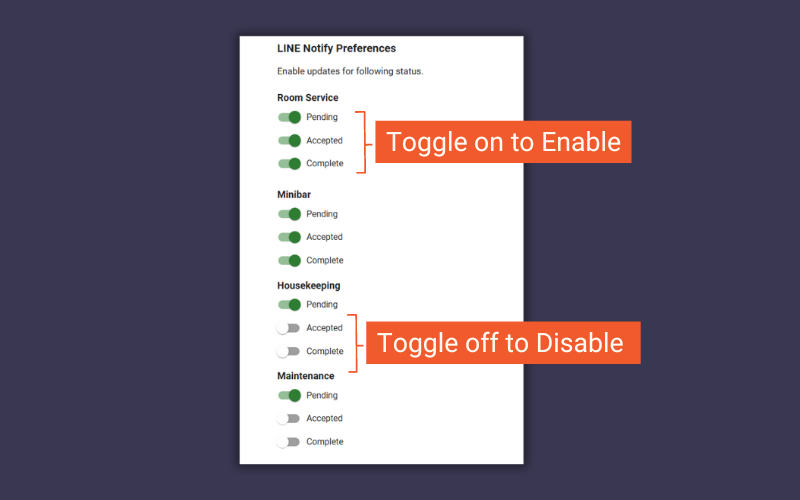
Enable/disable status LINE notifications
Reminders
The system can send reminders when orders or requests are pending or in progress for too long. This helps remind your team to act.
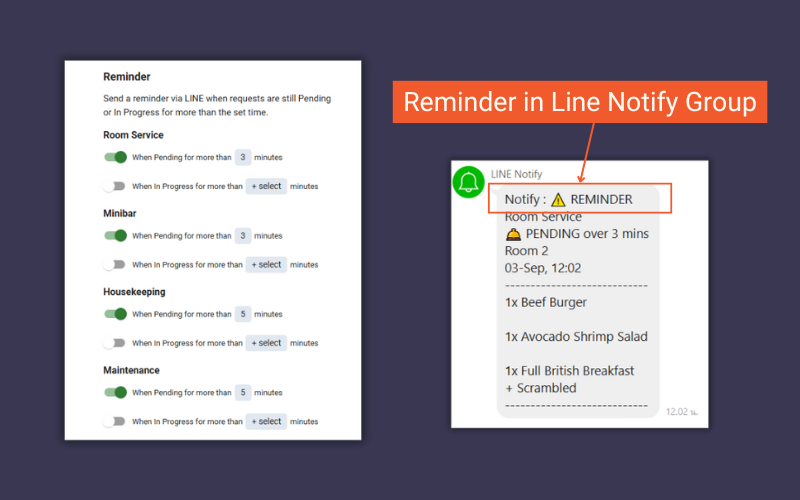
What a reminder looks like to your staff
Notification Language
You can select a different language for LINE notifications than the system’s main language.
For example, if the system language is English but your staff prefer Thai, you can change the notification language to Thai.
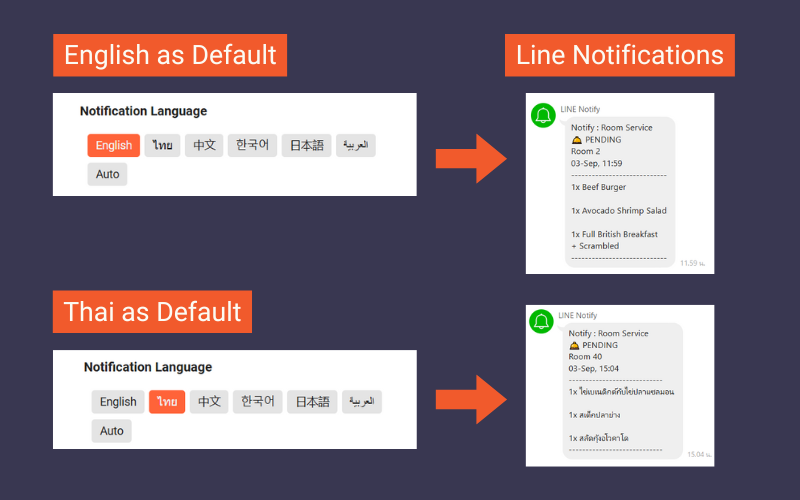
Changing the notification language